

Configuring OpenStack Subnet DHCP Allocation Pools to Prevent IP Conflicts Causing Boot Host Failures — Best Practice
Configuring OpenStack Subnet DHCP Allocation Pools to Prevent IP Conflicts Causing Boot Host Failures — Best Practice
| Document Version | Applicable Product | Applicable Platform | Document Type |
|---|---|---|---|
| V1.0 | HyperBDR / HyperMotion | OpenStack | Best Practice |
1. Overview
When using HyperBDR / HyperMotion to recover source hosts to an OpenStack platform, HyperBDR/HyperMotion automatically creates a Transition Host (a Drill/Recovery instance) on the OpenStack platform. This instance is used to pull backup data, perform block-level incremental synchronization, and finally boot the recovery target host. The IP address of the Transition Host is assigned by the DHCP service of the corresponding OpenStack subnet.
When the customer's on-premises source production network is L2-connected (e.g., via VXLAN, OVS GRE/VLAN, underlay routing, or carrier leased line) to the OpenStack business network, the IP assigned by OpenStack DHCP may conflict with IP addresses already in use on the source production network. IP conflicts will directly cause:
- The Transition Host becomes unreachable, causing the host Drill/Takeover task to fail;
- Real production hosts on the production network may be affected, causing service outages.
HyperBDR/HyperMotion currently does not support custom IP (custom fixed_ip) for the Transition Host. To fundamentally avoid IP conflicts, administrators can proactively adjust the OpenStack subnet DHCP allocation pool to exclude IP ranges already used on the production network.
This document provides the complete best practice for the above scenario:
- Scenario background and risk analysis;
- How to configure the OpenStack subnet DHCP allocation pool via the OpenStack Dashboard (Horizon) console;
- Verification steps after implementation;
- Key considerations.
2. Applicable Scenarios
| Scenario | Applicable? |
|---|---|
| HyperBDR/HyperMotion recovers hosts to OpenStack; source production network and OpenStack business network are L2-connected | ✅ Strongly recommended |
| HyperBDR/HyperMotion recovers hosts to OpenStack; source production network and OpenStack business network are L3-routed | ⚠️ Evaluation recommended |
| HyperBDR/HyperMotion recovers hosts to OpenStack; source production network and OpenStack business network are fully isolated | ❌ Not required |
3. Risks and Impact
| Risk | Description | Severity |
|---|---|---|
| The Transition Host receives the same IP as a production host | Causes ARP/ND flapping and traffic black-holing | 🔴 High |
| HyperBDR/HyperMotion cannot reach the service ports of the Transition Host | Causes Drill/Takeover task to fail | 🔴 Critical |
4. Solution
By re-planning and locking the DHCP allocation pool on the OpenStack subnet, ensure that IPs assigned to Transition Hosts fall within a safe range outside the production network's occupied IPs.
4.1 How It Works
By default, OpenStack Neutron creates an allocation_pool based on the subnet CIDR and assigns IPs to virtual machines in order from that pool. Neutron is not aware of physical production network IP usage, so the administrator must explicitly exclude:
- Real host IPs on the production network;
- Production gateway, router interfaces, and virtual IPs (VIPs);
- Reserved ranges used by other systems.
4.2 Recommended Implementation Flow
1. Inventory the source production network's used IPs
   (switch ARP tables, IPAM, CMDB)
        ↓
2. Plan a DHCP allocation range on OpenStack that does not overlap with production
        ↓
3. Adjust the allocation_pool on the OpenStack subnet
        ↓
4. Verify: create a test VM and inspect the assigned IP
        ↓
5. Run a HyperBDR/HyperMotion Drill/Takeover to validate end-to-end
5. Procedure
5.1 Prerequisites
- Inventory the IP ranges already in use in the source production environment.
- Confirm with the network/business team:
- Production gateway IP;
- Business VIP / load balancer VIP;
- Planned reserved IP ranges.
5.2 Procedure: Configure via OpenStack Dashboard (Horizon)
Step 1: Log in to Horizon
Log in to the OpenStack Dashboard with an administrator account.
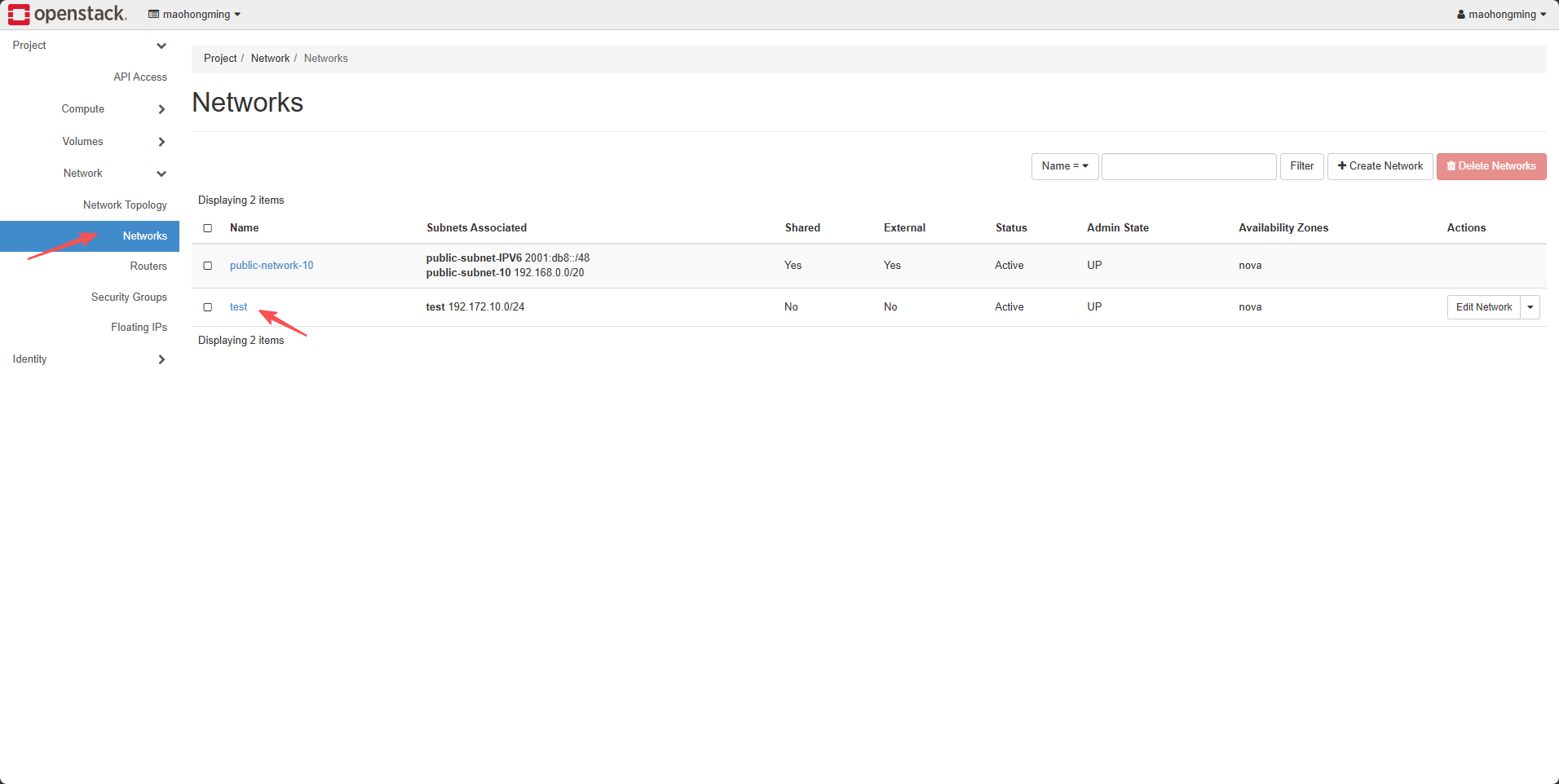
Step 2: Navigate to the Subnet List
Click: Project → Network → Networks, find the network used by HyperBDR recovery, and click the subnet name attached to that network.
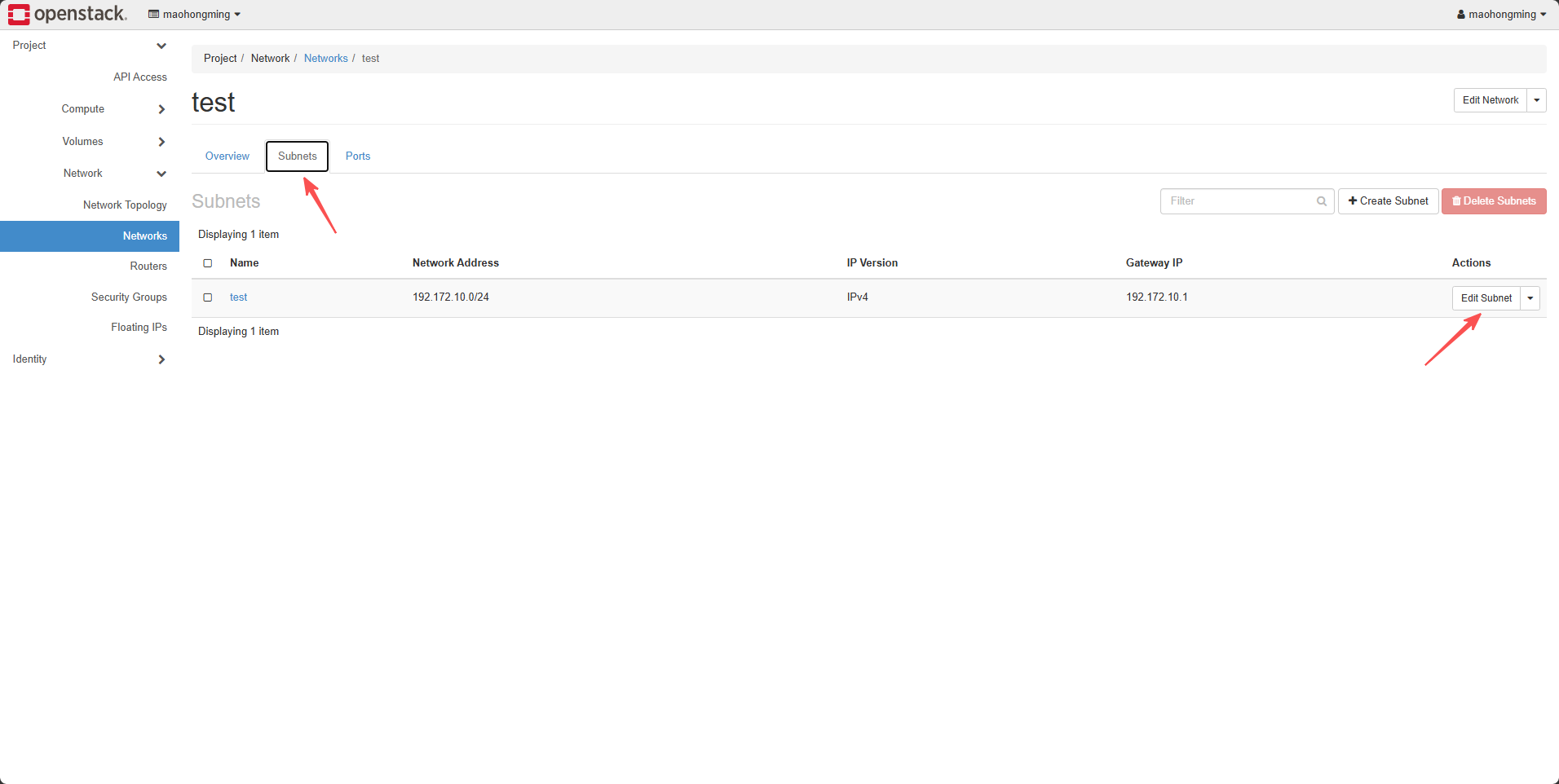
Step 3: Edit the Subnet
On the subnet details page, click the "Edit Subnet" button at the top right.
Step 4: Adjust the Allocation Pools
In the "Allocation Pools" section:
- Delete the default pool that covers the entire range;
- Add two "safe" pools:
- One near the beginning of the subnet;
- One near the end of the subnet (recommended for Transition Hosts / use the tail range for easier operations).
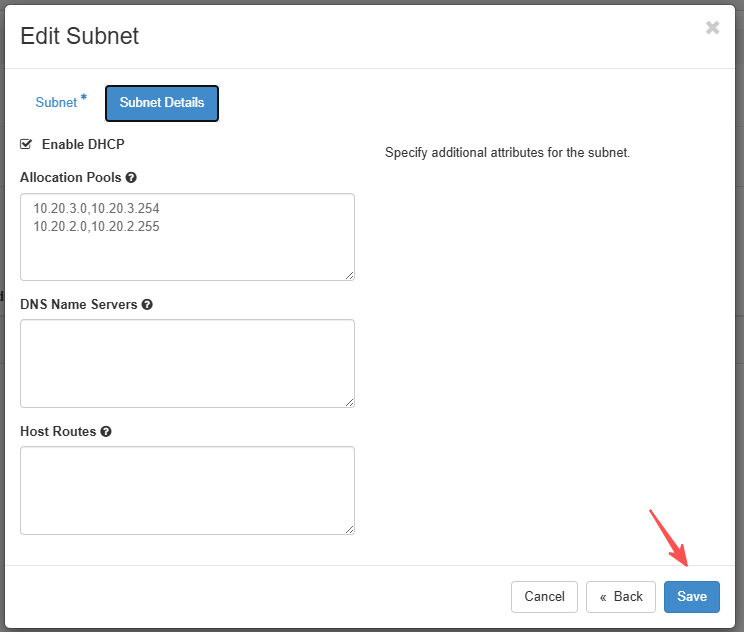
Example: assume the HyperBDR recovery subnet is 10.20.0.0/22, and production used IPs are concentrated in 10.20.0.0 – 10.20.1.255:
- Safe range 1:
10.20.2.0 – 10.20.2.255 - Safe range 2:
10.20.3.0 – 10.20.3.254(reserve.255as gateway) - DHCP allocation pools:
10.20.2.0,10.20.2.255and10.20.3.0,10.20.3.254
Step 5: Save and Wait for DHCP Reload
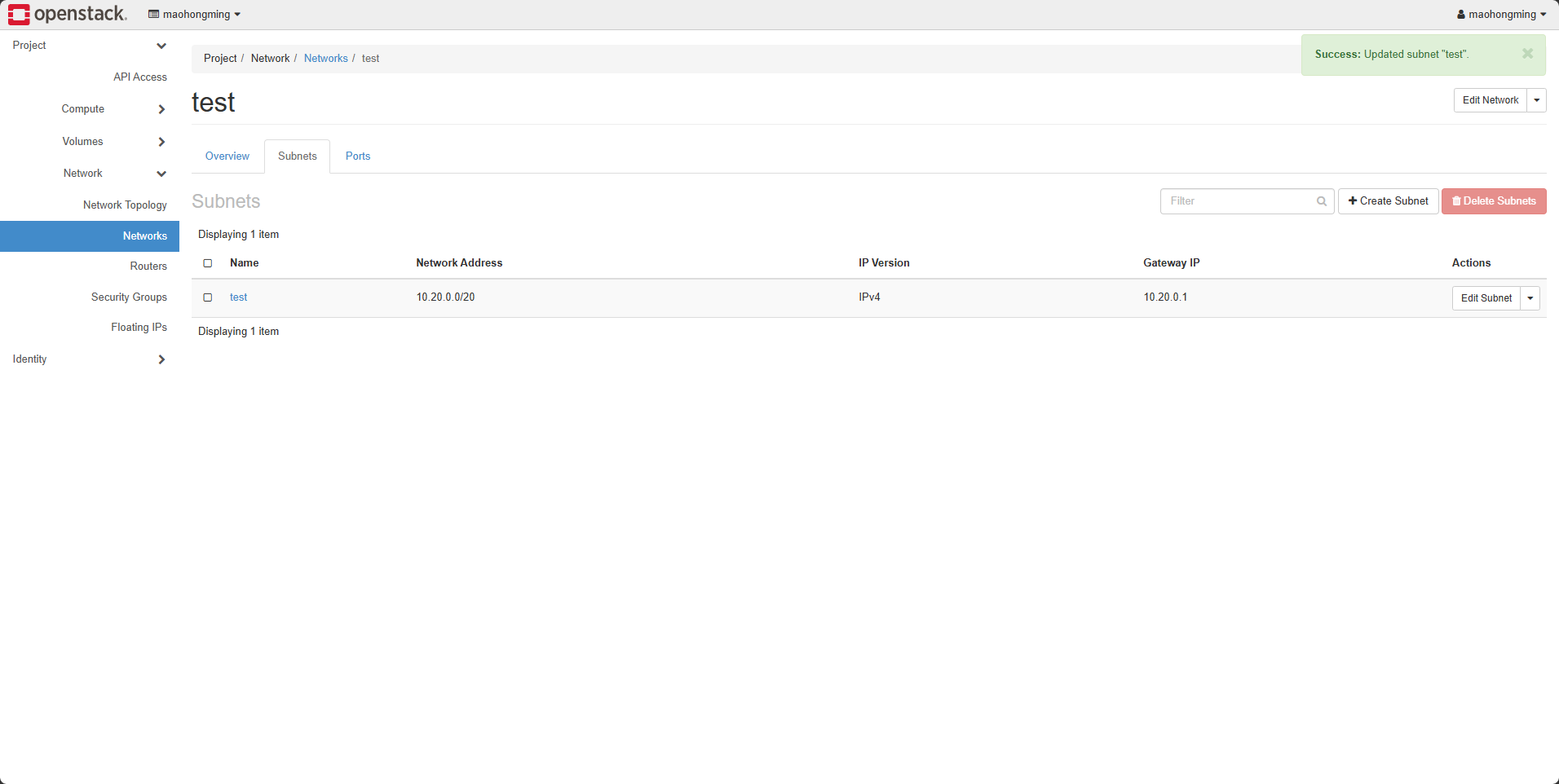
Click "Save". Neutron will automatically notify the neutron-dhcp-agent (dnsmasq) to reload its configuration.
6. Verification
6.1 OpenStack-Side Verification
- Create a test VM in the subnet (any image, any flavor) and check whether the assigned IP falls within the new safe range.
- Inside the VM, run
ip addrandip routeto confirm:- The assigned IP belongs to the new pool;
- The default gateway is still the subnet's
gateway_ip; - The gateway is reachable via ping.
6.2 End-to-End Verification
- Log in to the HyperBDR / HyperMotion console.
- Select any source host and create a Drill task.
- Start the drill and observe:
- The Transition Host is created successfully;
- The Transition Host IP falls within the new allocation pool;
- The Drill task completes successfully.
7. Considerations
| # | Consideration |
|---|---|
| 1 | Modifying the subnet allocation pool is an online operation. It does not affect running VMs, but newly created VMs will get IPs from the new pool. |
| 2 | The subnet's gateway_ip must not be inside the allocation pool, otherwise Neutron will refuse to create. |
| 3 | If the customer uses VRRP / Keepalived VIPs, be sure to explicitly exclude the VIP IPs from the allocation pool. |
| 4 | After modifying the allocation pool, it is recommended to restart the DHCP agent or reload neutron-dhcp-agent on the controller node to avoid dnsmasq caching. |
| 5 | If IPv6 is also used in the same subnet, adjust the IPv6 allocation_pools accordingly. |
| 6 | It is recommended to record the source production network's used IPs in an IPAM platform and refresh the OpenStack allocation pool in sync when changes occur. |
8. Appendix
8.1 Glossary
| Term | Description |
|---|---|
| Allocation Pool | The IP range within an OpenStack Neutron subnet that is allowed to be assigned to VMs by DHCP |
| Transition Host / 过渡主机 | The intermediate instance used by HyperBDR/HyperMotion to pull backups, perform block-level incremental sync, and boot the target host |
8.2 References
- OpenStack Neutron Documentation: https://docs.openstack.org/neutron/latest/
- HyperBDR Documentation: https://docs.oneprocloud.com/