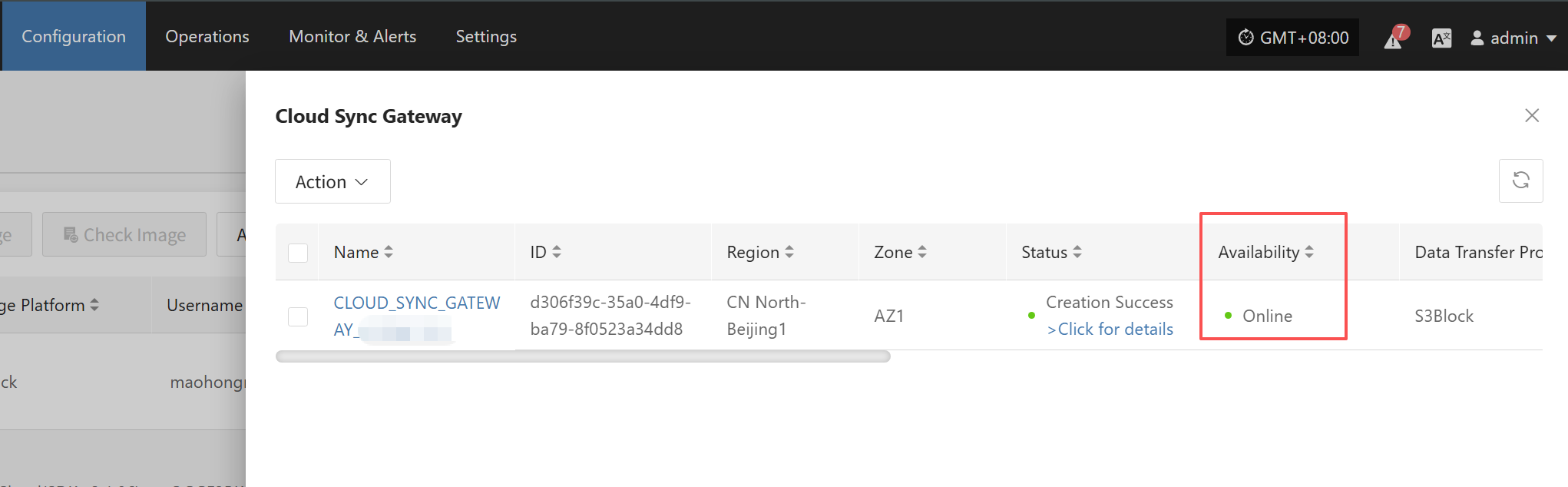

HyperBDR服务地址变更以及变更后环境配置更新
HyperBDR服务地址变更以及变更后环境配置更新
场景说明
本文档适用于完成HyperBDR Console的部署后,希望更改HyperBDR的服务地址。
如果已经安装部署完成其他HyperBDR组件(Windows Agent、Linux Agent、Sync Proxy和Cloud Sync Gateway), 在变更HyperBDR的服务地址后,需要修改相关组件的配置。
操作流程
HyperBDR Console
请确保HyperBDR中没有任何正在进行的任务。
- 登录到HyperBDR服务端
- 执行命令变更HyperBDR控制网络IP
## <New Console Service IP>为需要更改的HyperBDR控制网络IP。
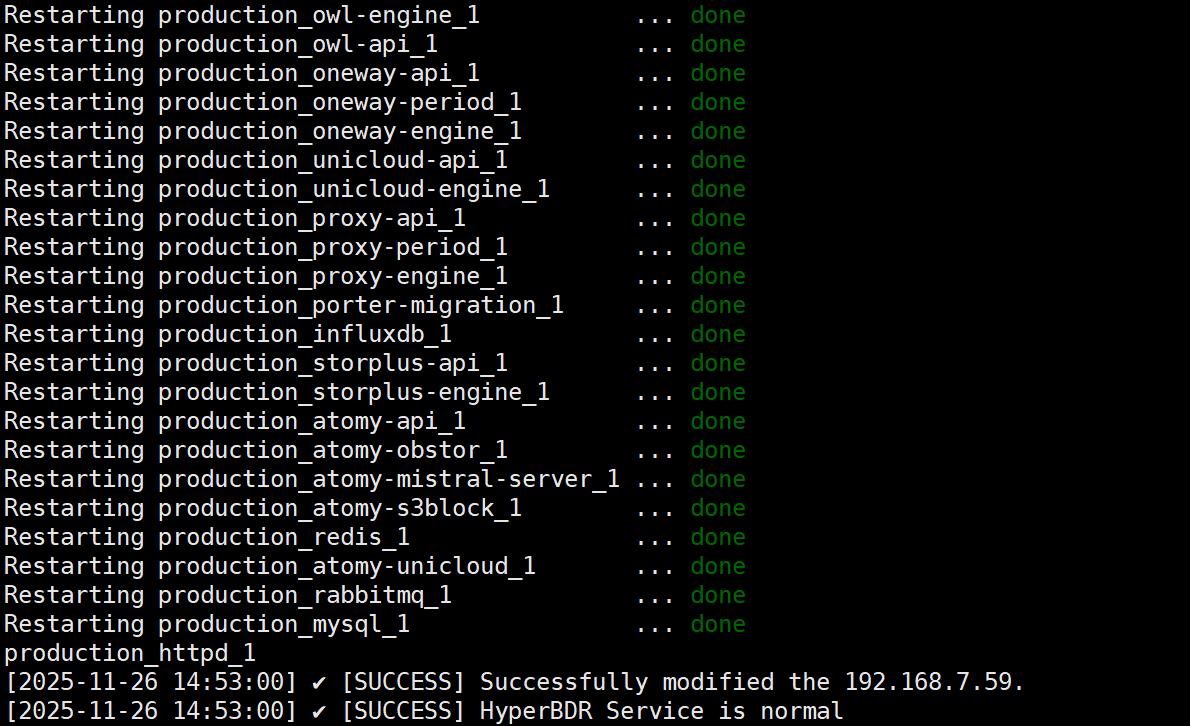
cd /opt/installer/production/scripts/ && ./hmctl set_endpoint <New Console Service IP>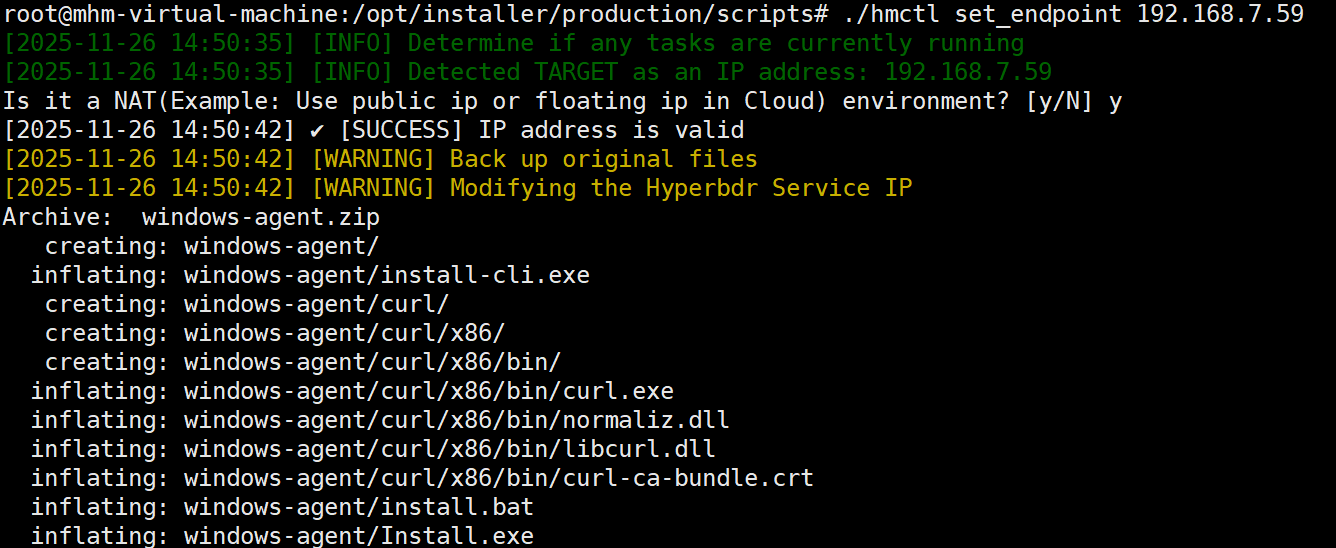
Windows Agent
如果已经安装了Windows Agent,HyperBDR服务地址变更后需要修改Windows Agent的Console IP地址配置。
请在完成HyperBDR 服务地址变更后进行Windows Agent的变更。
登录到Windows Agent所在系统
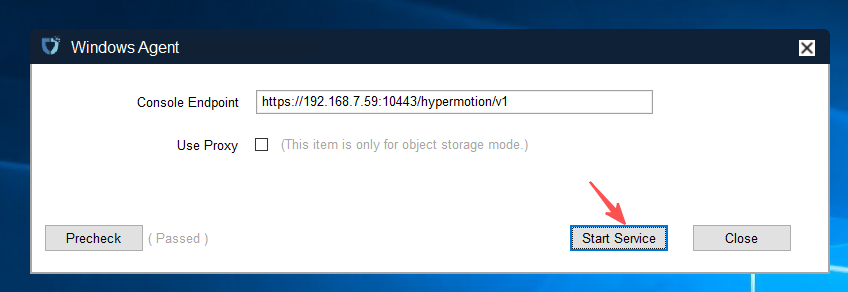
打开Windows Agent并停止服务
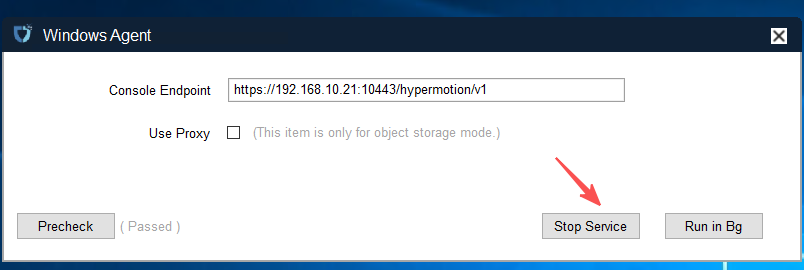
3.修改Console Endpoint的IP(HyperBDR控制网络IP)并启动服务
4.修改Windows Agent 监控服务配置
配置文件默认位置: C:\Program Files (x86)\DiskSync-Agent\hyper_exporter\config.ini
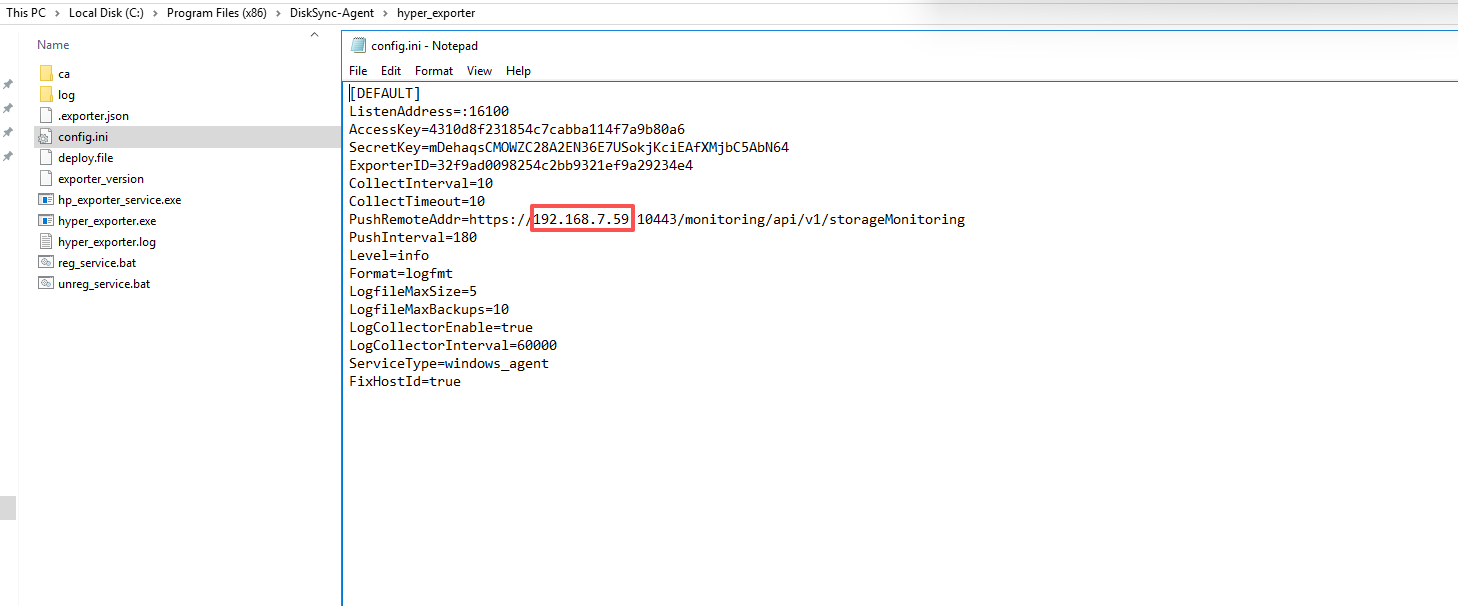
IP地址修改为为HyperBDR Console变更之后的新IP并保存文件。
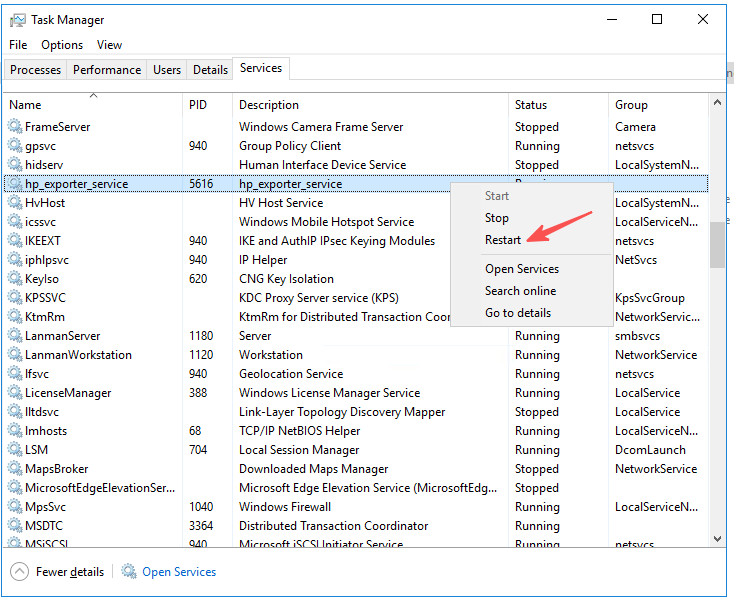
5.重启Windows Agent 监控服务
服务名称: hp_exporter_service
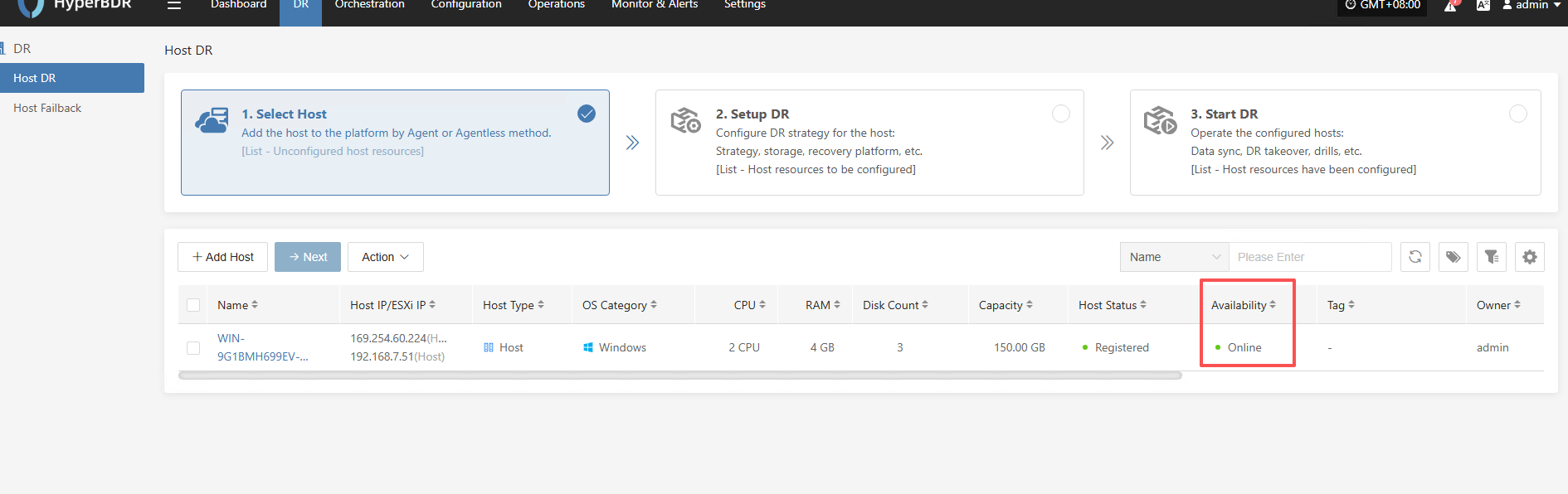
6.确保HyperBDR Console中Windows Agent主机是Online状态
Linux Agent
如果已经安装了Linux Agent,HyperBDR服务地址变更后需要修改Linux Agent的Console IP地址配置。
请在完成HyperBDR 服务地址变更后进行Linux Agent的变更。
1.登录到Linux Agent所在系统。
2.修改配置文件并重启服务。
## <Old Console Service IP>为变更之前的HyperBDR控制网络IP,<New Console Service IP>为需要更改的HyperBDR控制网络IP。
sed -i 's/<Old Console Service IP>/<New Console Service IP>/g' /etc/sysconfig/egisplus-agent && systemctl restart egisplus-agent.service
sed -i 's/<Old Console Service IP>/<New Console Service IP>/g' /usr/local/hyper_exporter/config.ini && systemctl restart hyper-exporter-agent.service
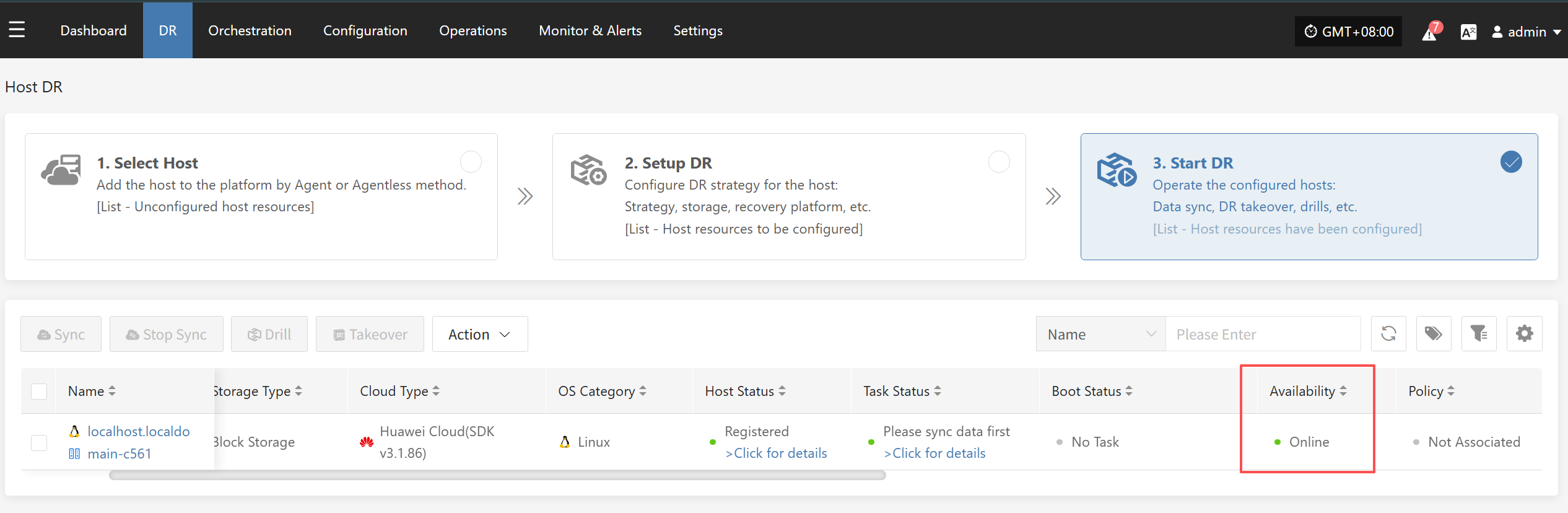
3.确保HyperBDR Console中Linux Agent主机是Online状态
Sync Proxy
如果已经安装部署了Sync Proxy,HyperBDR服务地址变更后需要修改Sync Proxy的Console IP地址配置。
请在完成HyperBDR 服务地址变更后进行Sync Proxy的变更。
1.登录到Sync Proxy所在系统。
2.修改配置文件并重启服务。
<Old Console Service IP>为变更之前的HyperBDR控制网络IP,<New Console Service IP>为需要更改的HyperBDR控制网络IP。
sed -i 's/<Old Console Service IP>/<New Console Service IP>/g' /etc/hamal/hamal.conf && docker restart hamal
sed -i 's/<Old Console Service IP>/<New Console Service IP>/g' /opt/hyper_exporter/config.ini && systemctl restart hyper_exporter.service
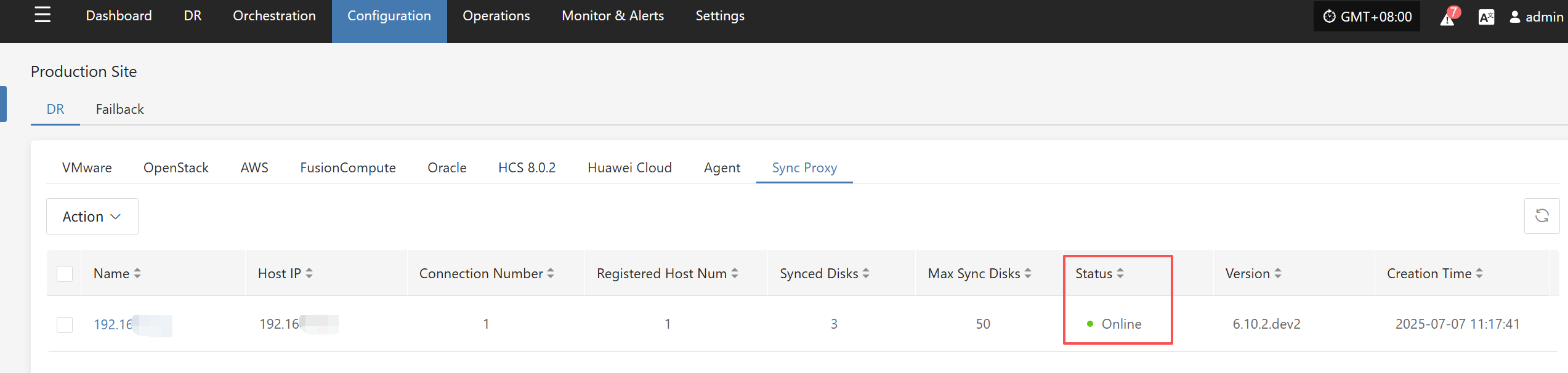
3.确保HyperBDR Console中Sync Proxy是Online状态
Cloud Sync Gateway
如果已经安装部署了Cloud Sync Gateway,HyperBDR服务地址变更后需要修改Cloud Sync Gateway的Console IP地址配置。
请在完成HyperBDR 服务地址变更后进行Cloud Sync Gateway的变更。
1.登录到Cloud Sync Gateway所在系统。
2.修改配置文件并重启服务。
<Old Console Service IP>为变更之前的HyperBDR控制网络IP,<New Console Service IP>为需要更改的HyperBDR控制网络IP。
systemctl stop watchman.service s3block.service && sed -i 's/<Old Console Service IP>/<New Console Service IP>/g' /etc/sgateway/s3block_config.ini && systemctl start watchman.service
3.确保HyperBDR Console中Cloud Sync Gateway是Online状态